
In short
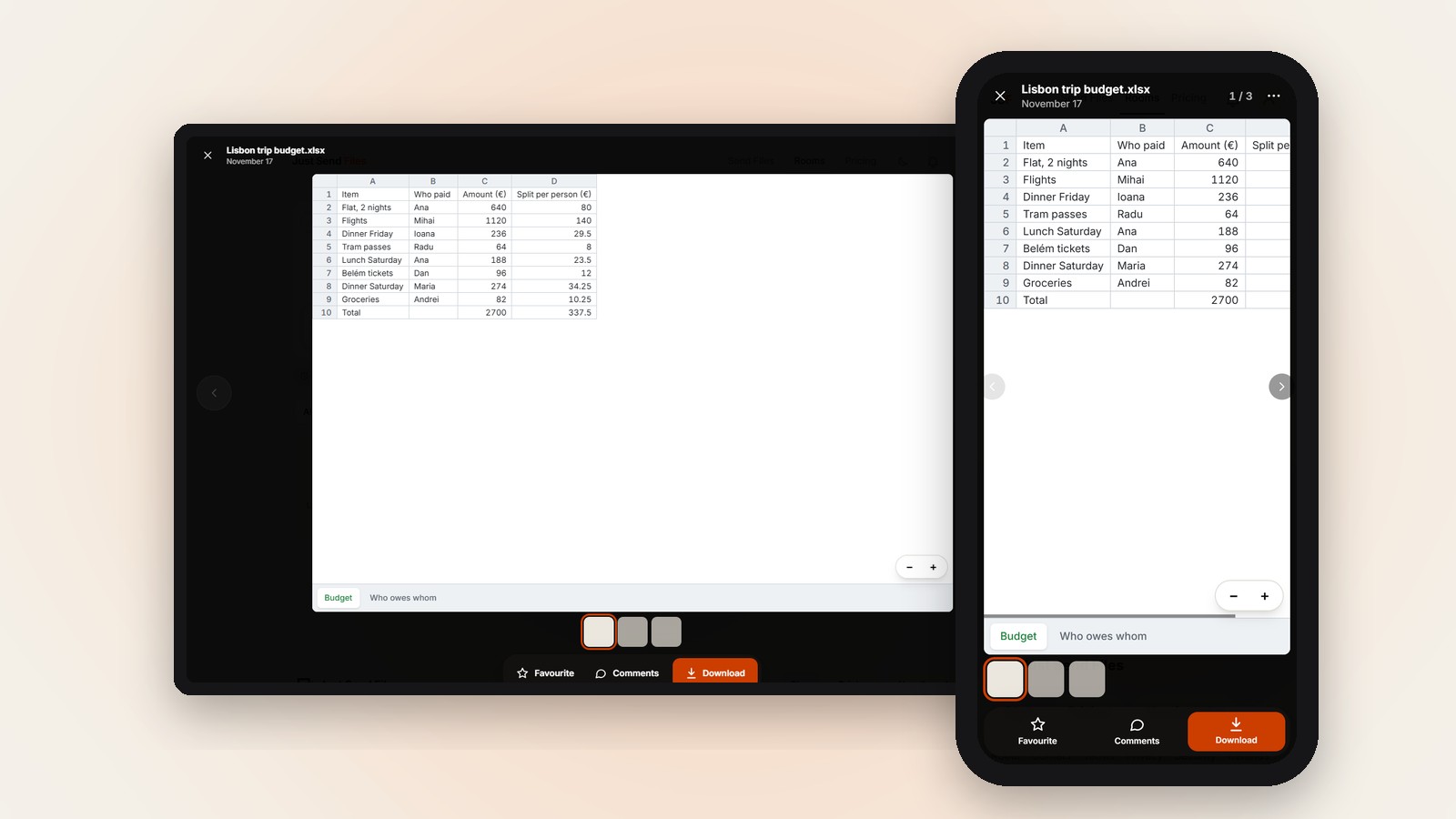
- Tap an .xlsx, .xls, .xlsm, .csv or .ods file in a Room and it opens.
- Every sheet shows, up to 2000 rows and 60 columns each.
- Need a whole group to see a spreadsheet? Make a free Room.
Someone sends you a spreadsheet, or you need to send one to a group, and half the people only have a phone. Not everyone has the Excel app, and nobody wants to install one to check a few numbers.
Sent as an attachment, the file has to be downloaded, found and then opened with something that can read it. Each of those steps is a place where someone gets stuck.
Why spreadsheets are awkward on a phone
A spreadsheet is made for a big screen. On a phone you get a small window onto a large grid, and first you need something that can read the file at all.
In a group chat this gets worse. One person has the right app, another has a different phone, and a third just asks you to send a screenshot.
Put the file in a Room
Sign in and create a Room, then add the spreadsheet. Only you need an account. The file arrives exactly as it was sent, nothing is compressed.
Send the Room’s link in your group chat or by email. Guests open it in the browser on iPhone, Android or a computer, with no account and nothing to install.
Tap to open it on the page
In the Room, tap the spreadsheet. It opens right there on the page, with no download and no app. The reader’s own phone or computer shows it.
The file is not converted or sent anywhere else on the way. What people see is read from the same file you uploaded.
Which files open and how much you see
Excel files ending in .xlsx, .xlsm and .xls open, and so do CSV files (.csv) and OpenDocument spreadsheets (.ods). Each one can be up to 100 MB.
Every sheet in the file is shown, not only the first one. Each sheet shows up to its first 2000 rows and 60 columns.
A bigger sheet tells you plainly how many rows and columns you are seeing, and suggests you download the file to see all of it.
When you need the whole file
The Download button always gives the original file, exactly as it was uploaded. Use it when a sheet is larger than the page shows, or when you want a copy on your phone.
A spreadsheet over 100 MB, or a damaged file that cannot be read, does not open in the page. It is offered for Download instead.
Make it easy to read on a small screen
On a phone, fewer columns are easier to follow. If only a few numbers matter, a short summary sheet at the front saves people a lot of scrolling.
Everyone with the link can also add files to the Room. That helps when several people each have their own sheet to share with the group.
Add the file to a Room and send one link. Free up to 10 GB.
A spreadsheet on any phone →Questions
Which spreadsheet files open in a Room?
Excel files ending in .xlsx, .xlsm and .xls, CSV files (.csv) and OpenDocument files (.ods), up to 100 MB each.
What if my sheet has more than 2000 rows?
The page shows the first 2000 rows and 60 columns of each sheet and tells you that. Download the file to see all of it.
Is my file changed when it opens on the page?
No. The reader’s own phone or computer shows it, nothing is converted or sent elsewhere, and Download gives the original.