
In short
- A PDF in a Room opens right on the page, no download, no app.
- It shows up to the first 300 pages, for files up to 100 MB.
- Want the whole group to read it from one link? Make a free Room.
You have a PDF for a group of people: a menu, a programme, a contract, the notes from a meeting. You want everyone to read it, without everyone saving yet another file.
Sending the file in a chat means each person downloads it, then looks for something that opens it. On a phone, the file often ends up lost among the downloads.
Why a download gets in the way
A download puts a copy of the file on every phone. For a document people only need to read once, that is one more thing to find later and clean up.
Some people do not know where the file went after they tapped it. Others open it in an app that shows it badly on a small screen.
Put the PDF in a Room
Create a Room and add the PDF. Only the person who creates the Room signs in. The file arrives as you sent it, nothing is compressed.
A Room is one page with one link. You can add more files to it later, and so can anyone who has the link.
Send one link to everyone
Paste the link in the group chat, an email or a message. It opens in the browser on iPhone, Android and computers.
Guests need no account and install nothing. The same link works for one person or for a group of fifty.
Reading on the page
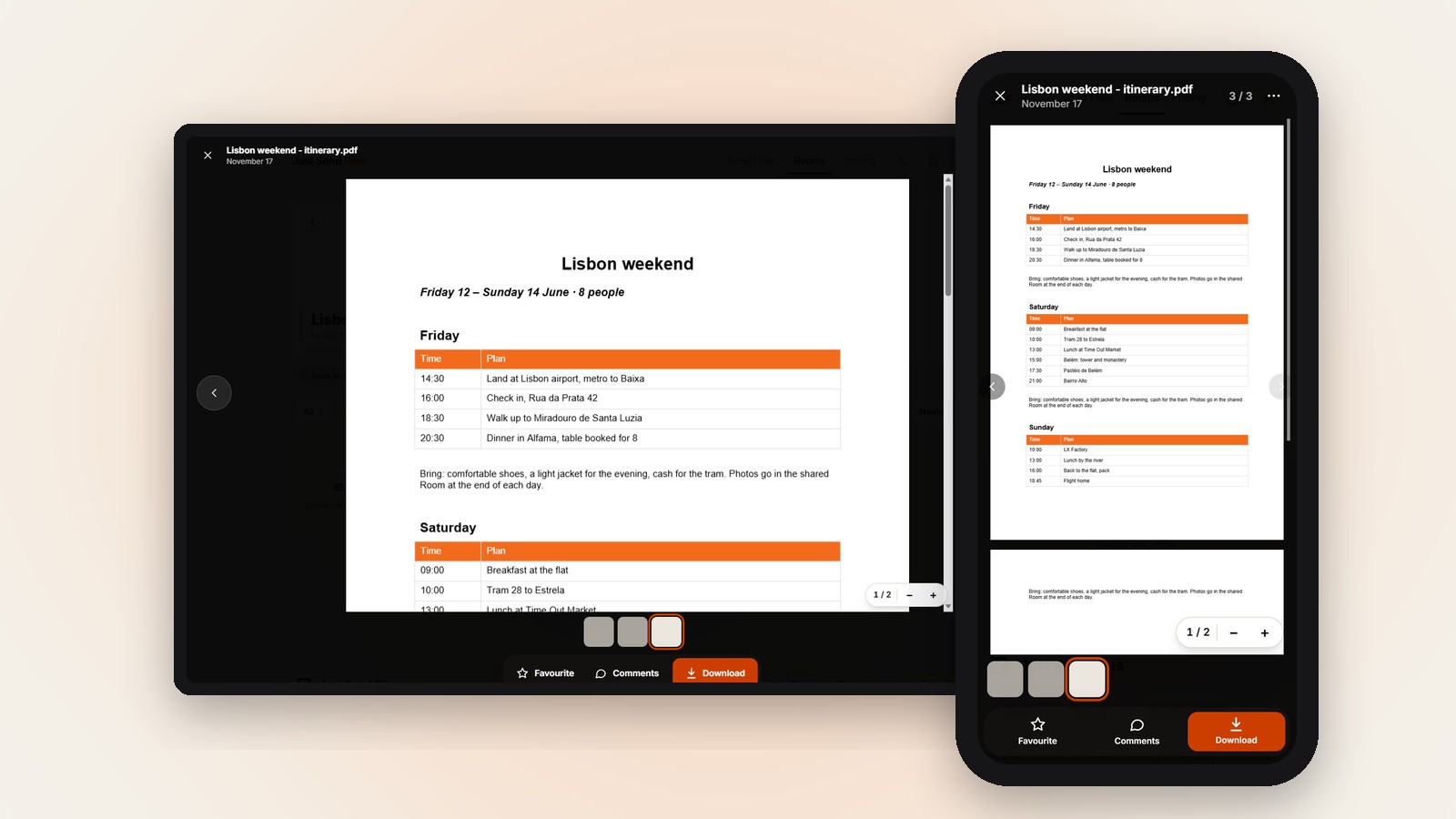
When someone taps the PDF, it opens right on the page, page by page. They can zoom in, and the page number shows where they are.
On a computer there is also a PAGES column with small pictures of each page, so you can jump straight to one. The reader’s own phone or computer shows the file, it is not converted or sent anywhere else.
The limits to know
A PDF opens in the page if it is up to 100 MB. A bigger one, or a damaged file that cannot be read, is offered for Download instead.
The page shows up to the first 300 pages. For a longer PDF it shows those and tells the reader to download the file to see the rest.
When people want to keep it
Reading on the page does not take the file away. The Download button always gives the original PDF, exactly as it was uploaded.
So the people who only want to read it just tap, and the ones who want a copy for later download it from the same link.
Tap a PDF in a Room and it opens on the page, no app. Free up to 10 GB.
Let the group read it from one link →Questions
Do people need a PDF app to read it?
No. The PDF opens inside the page, on their own phone or computer, and they install nothing.
What happens with a PDF longer than 300 pages?
The first 300 pages show on the page, with a note that tells you how many pages the file has. The full file is there with Download.
Is the PDF changed when people view it?
No. It is not converted or sent anywhere else, and Download always gives the original file, exactly as you uploaded it.