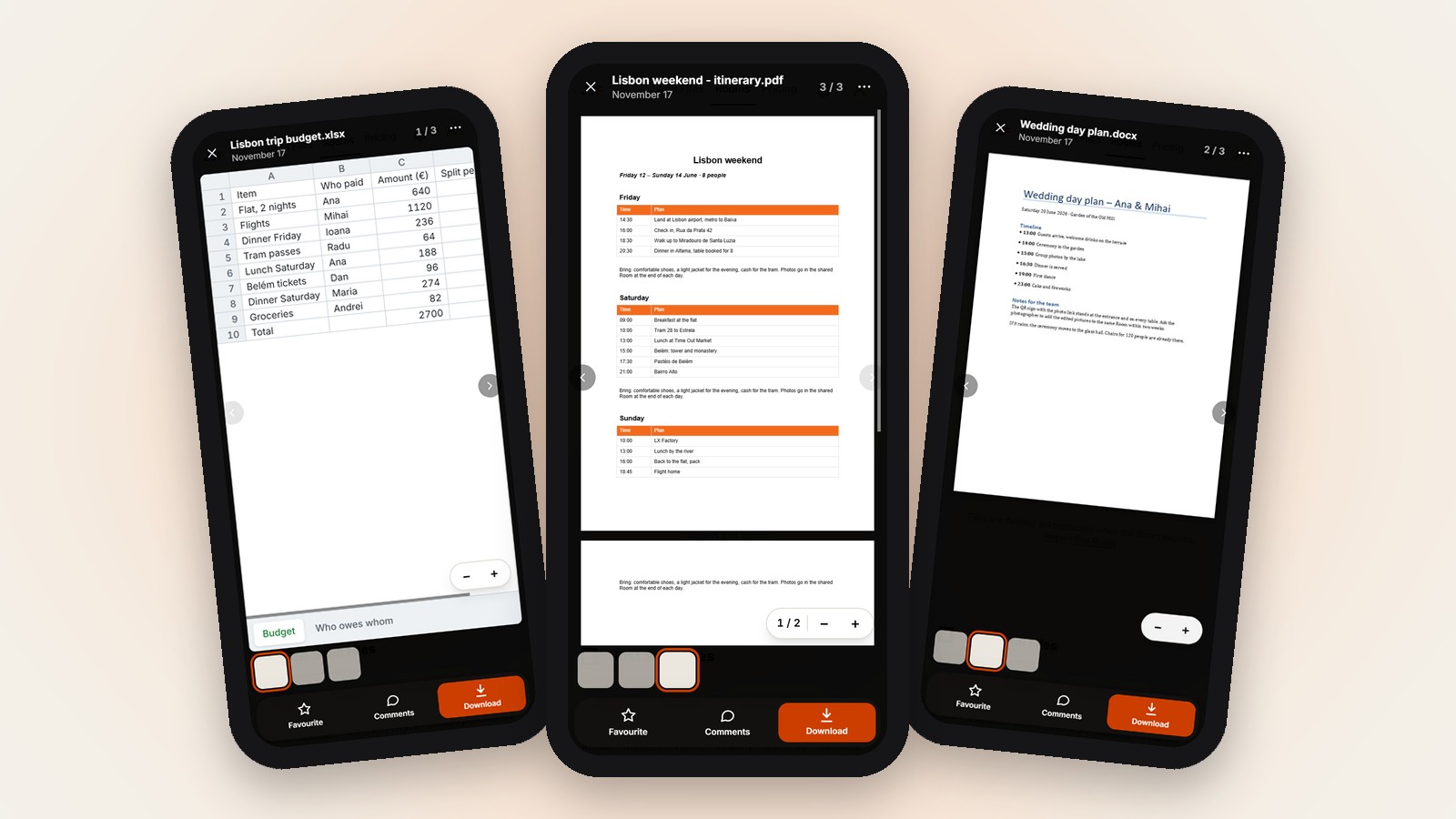

In short
- PDF, .docx, spreadsheets, photos and videos open right on the page.
- Documents open up to 100 MB, photos up to 25 MB, videos up to 4 GB.
- Want people to look before they download? Make a free Room.
You put files in a Room for a group, and you wonder what people will see when they tap them. Will a PDF open, or will it end up as one more download on their phone?
Most common documents, photos and videos open right on the page. The reader’s own phone or computer shows them, with no app and no download.
| File | Opens in the page | Limit |
|---|---|---|
| PDF (.pdf) | Yes, page by page | 100 MB, first 300 pages |
| Word (.docx) | Yes. Old .doc files are downloaded | 100 MB |
| Excel and CSV (.xlsx, .xlsm, .xls, .csv, .ods) | Yes, every sheet | 100 MB, first 2000 rows and 60 columns per sheet |
| Photos (JPG, PNG, GIF, WebP, AVIF, BMP) | Yes | 25 MB |
| iPhone HEIC, TIFF, PSD | Yes, as a picture made from the file | The download stays the original file |
| Videos | Yes, they play in the page | 4 GB per video |
| Other files (.pptx, .txt, ZIP, audio, .doc) | No, they are downloaded | Download only |
Read on justsendfiles.com on 17 November 2026.
How opening on the page works
In a Room, tapping a file opens it right on the page. There is nothing to install, guests need no account, and it works on iPhone, Android and computers.
The file is shown by the reader’s own phone or computer, inside the page. It is not converted or sent anywhere else on the way.
Documents: PDF, Word and spreadsheets
PDFs open page by page, with zoom and a page number. On a computer, a PAGES column of small page pictures lets you jump straight to a page.
Word files open if they end in .docx. Spreadsheets open as .xlsx, .xlsm, .xls, .csv and .ods files, and every sheet of the file is shown.
Each document can be up to 100 MB. A PDF shows up to its first 300 pages, and each sheet up to its first 2000 rows and 60 columns.
Photos, including iPhone photos
JPG, PNG, GIF, WebP, AVIF and BMP pictures open on the page, up to 25 MB each. That covers most photos people take and share.
iPhone photos in HEIC, TIFF files and Photoshop files (PSD) open as a picture made from them. A PSD shows the flattened picture, and its layers are only in the download.
Videos
Videos play right in the page, up to 4 GB per video. Guests can watch a clip first and decide later whether to keep it.
Files arrive as they were sent and nothing is compressed, so the video in the Room is the same one that was uploaded.
What does not open
PowerPoint files (.pptx), plain text files (.txt), ZIP files, audio and old Word files (.doc) do not open in the page. They are downloaded instead.
A document over 100 MB, or a damaged file that cannot be read, is also offered for Download. A file found infected by the virus check is never opened in the page.
The download is always the original
Whatever opens on the page, the Download button gives the original file, exactly as it was uploaded. An iPhone HEIC photo stays HEIC.
If a long PDF or a big sheet is cut short on the page, the page tells you so. Download the file to see all of it.
Documents, photos and videos open in one Room, on any phone or computer. Free up to 10 GB.
One link for every file →Questions
Why does my file download instead of opening?
It is a type that does not open in the page, it is over the size limit for its type, or it is damaged and cannot be read.
Does an iPhone HEIC photo stay HEIC?
Yes. The page shows a picture made from it, but Download gives you the original HEIC file.
Do people need an app to open these files?
No. Tapping a file opens it right on the page, shown by their own phone or computer, with no app and no account.