
- Dropbox is made to keep and sync your files for years.
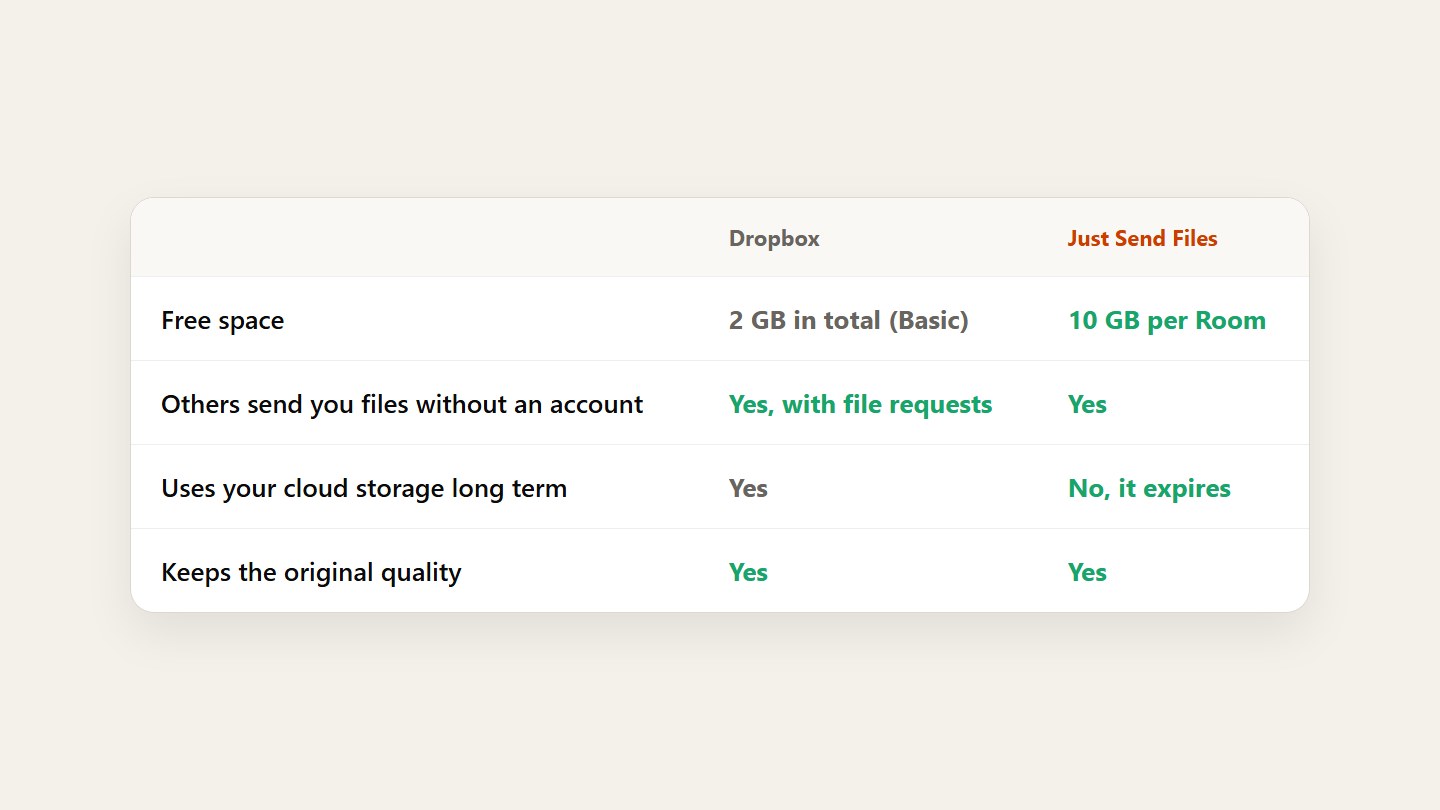
- The free plan has 2 GB, and everything shared uses it.
- To send once or collect from a group, one link is quicker.
Know what Dropbox is for
It’s a cloud drive: your files, synced on all your devices, kept for as long as you pay. For work you come back to every day, it does that well.
Compare it for one-off sending
To share a big file you first upload it into your Dropbox, and it stays in your storage. File requests let others send you files without an account, but those use your space too.
Send or collect with one link
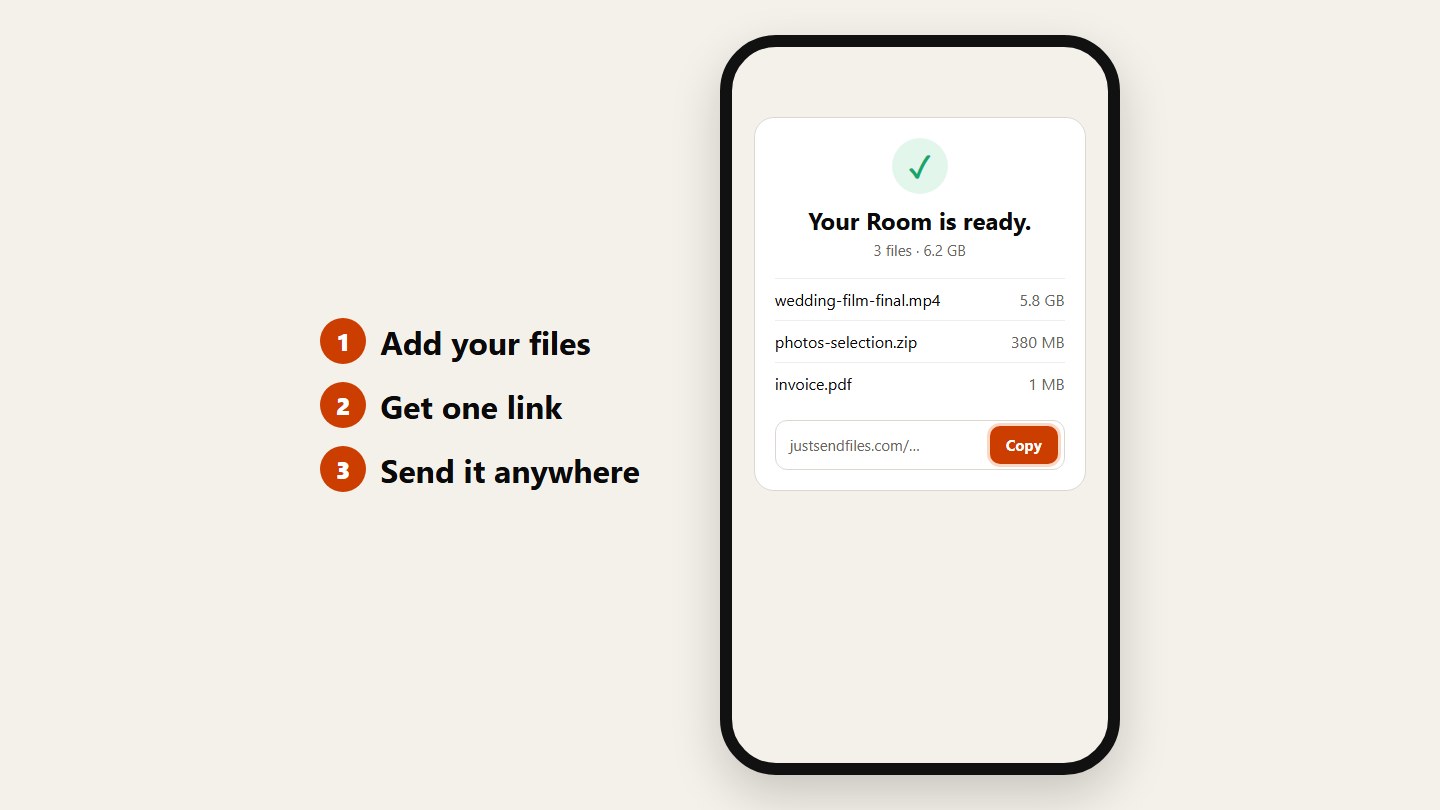
Add your files, get one link, send it anywhere. They download the originals without an account. For an event, turn on uploads and guests add their files the same way.
Questions
How much can I store on Dropbox for free?
The free Dropbox Basic plan has 2 GB of storage, and everything you share or receive counts against it.
Can people upload to my Dropbox without an account?
Yes, through Dropbox file requests. The files still use your Dropbox storage.
Are files compressed?
No, on either service. Dropbox and Just Send Files both keep files in their original quality.