

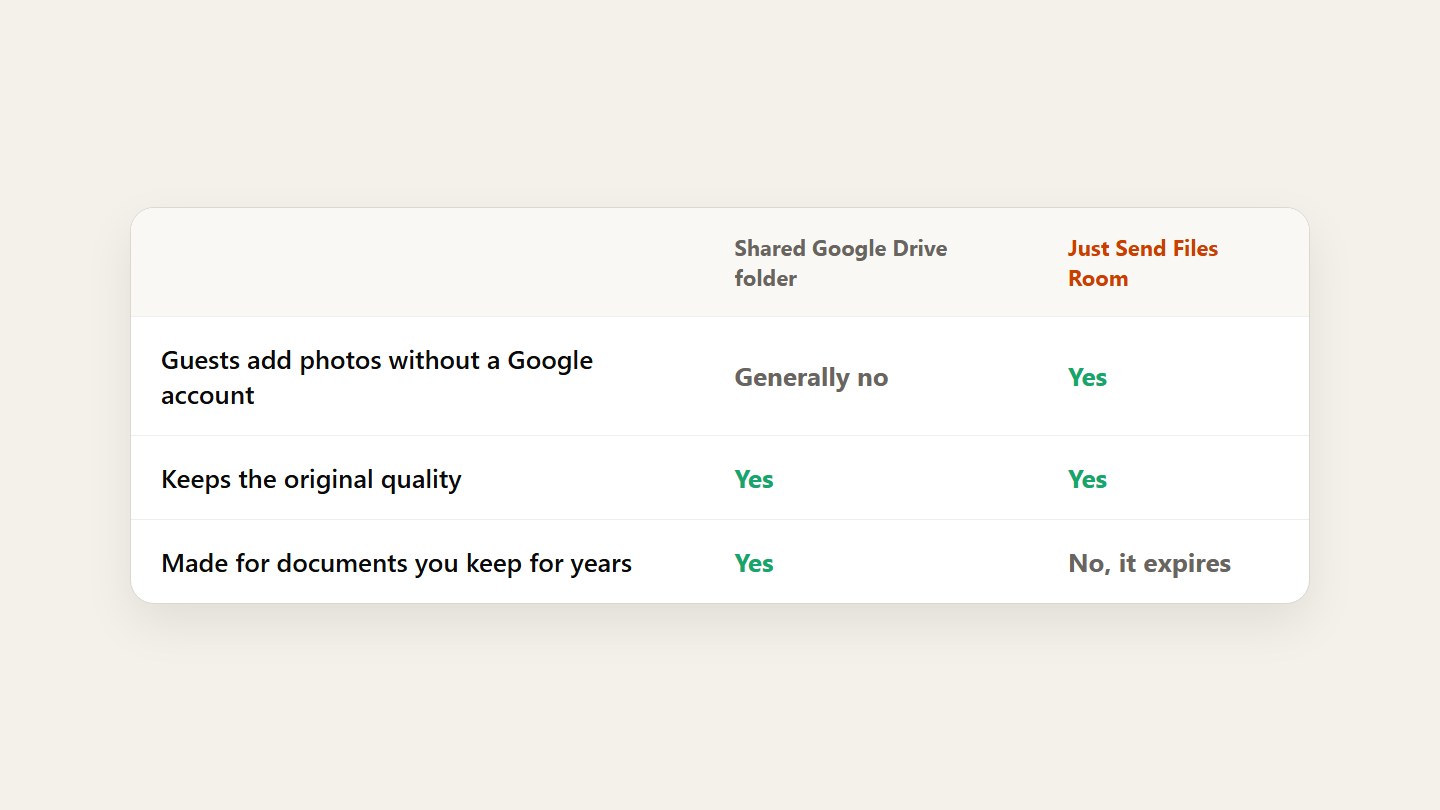
- Drive keeps originals, but guests generally need a Google account to add files.
- A shared “anyone can edit” link can be forwarded to anyone.
- A Room takes uploads from any browser, then you can keep it all in Drive.
Know where Drive works
Drive is made for files you keep and work on: documents, folders, long-term storage. Files stay in their original quality, and for a small group that already uses Google it’s fine.
See where it gets in the way
Adding to a shared folder generally means signing in with a Google account that can edit it. And a folder set to “anyone with the link can edit” lets whoever gets the link rename or remove files.
Collect in a Room, keep in Drive
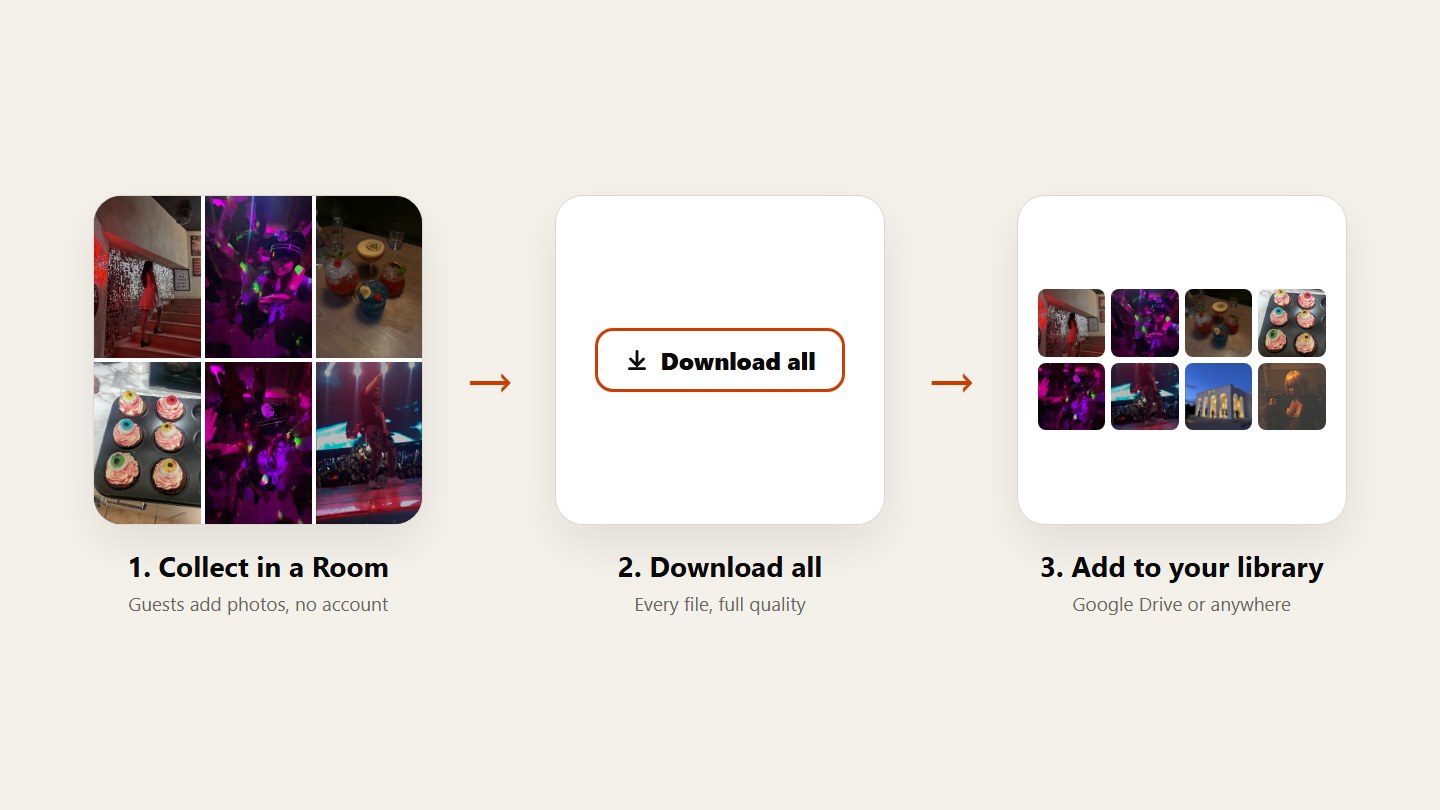
Give guests one link or QR code to a Room. They upload from the phone browser, no account. Afterwards tap Download all and put everything in Drive.
Questions
Can guests upload to a Drive folder without a Google account?
Generally no. Adding files to a shared folder means signing in with a Google account that has edit access.
Does Google Drive keep photos in original quality?
Yes. Files uploaded to Drive are stored as they are. The friction is getting everyone to upload, not quality.
Can I move the photos to Drive afterwards?
Yes. Save the whole Room with Download all, then upload it to Drive or wherever you keep your archive.