

- Google Photos is a library you keep for years.
- A Room is for collecting from a group: guests need no account.
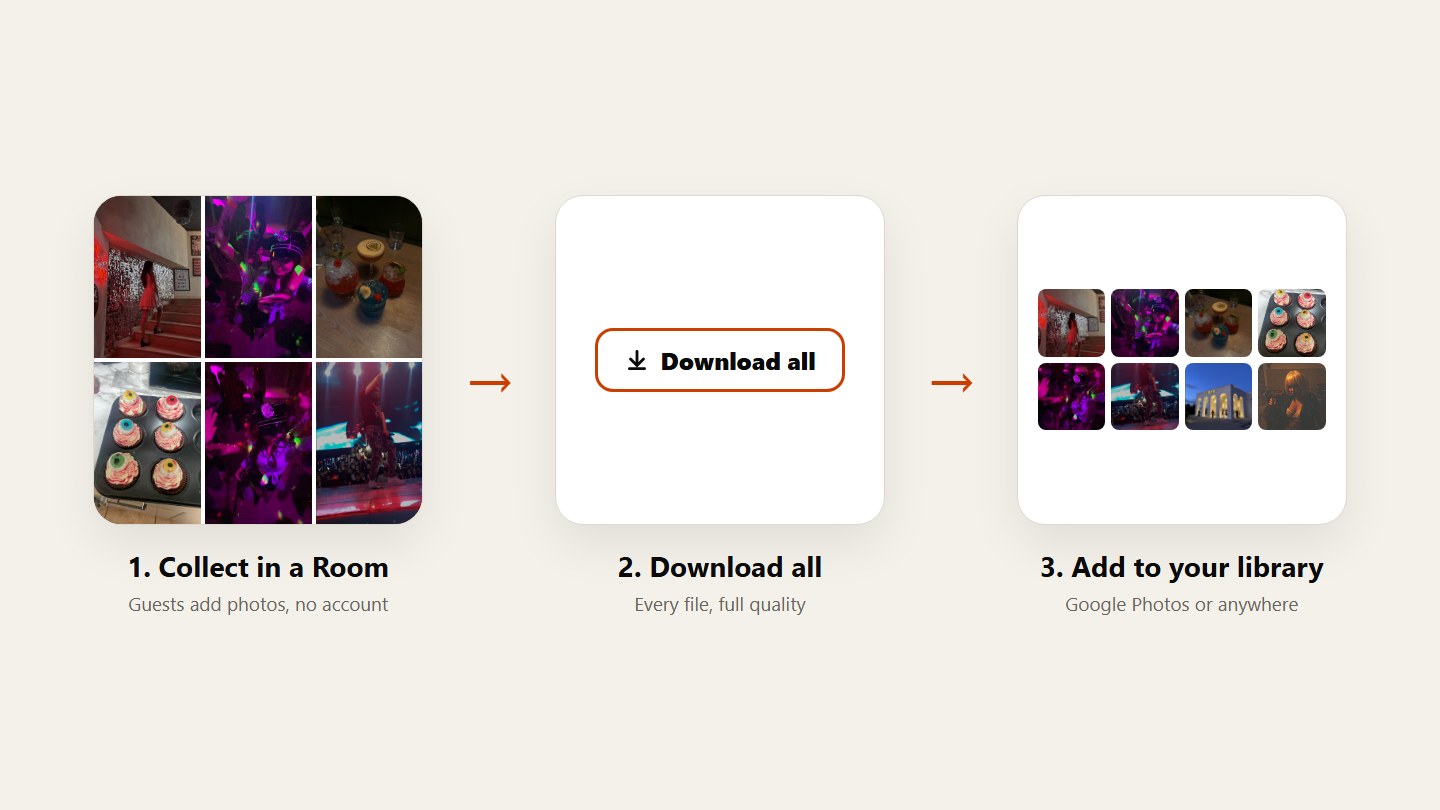
- Many people use both: collect in a Room, keep in Google Photos.
Know what each one is for
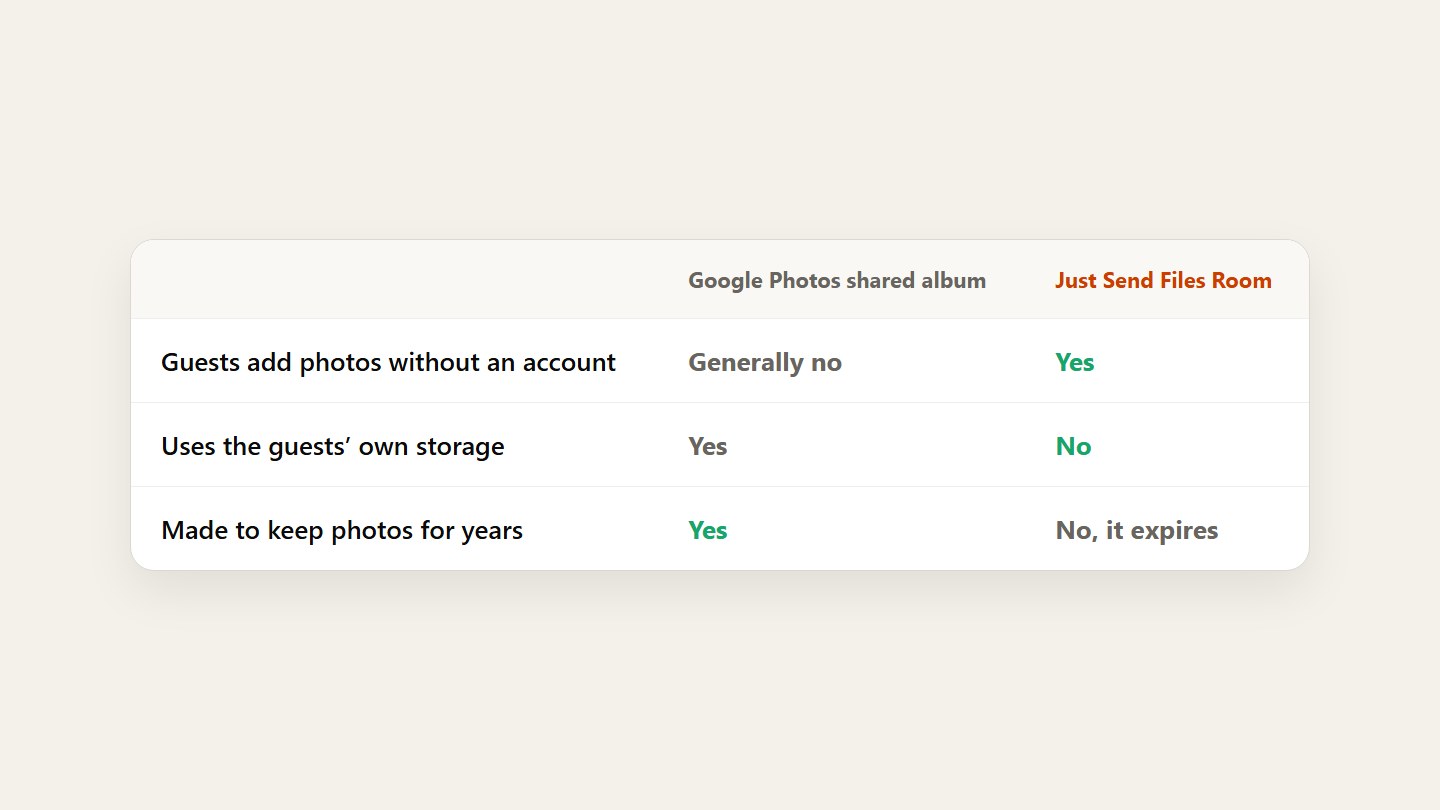
Google Photos is your long-term library, and a shared album lives inside it. A Room is built for one event: one link, everyone adds, then you take it all home.
Look at what guests have to do
Adding photos to a Google Photos shared album generally needs a Google account, and the photos use the uploader’s storage. In a Room, guests open the link and upload, with no account.
Use both, if you like
Collect from guests in a Room, tap Download all, then add the photos to your own Google Photos library. Guests never sign in, and you keep everything for years.
Questions
Do you need a Google account to add photos to a shared album?
Generally, yes. People can often view a shared album through a link, but adding photos requires signing in with a Google account. Check Google’s help pages for the latest.
Do guests need an account for a Room?
No. Only the person who creates the Room signs in. Guests open the link in a browser and upload or download, within the permissions you set.
Which one keeps photos longer?
Google Photos is made for long-term storage. A Room expires: up to 3 days on Free, up to 30 days on Plus, and on Pro as long as you subscribe.