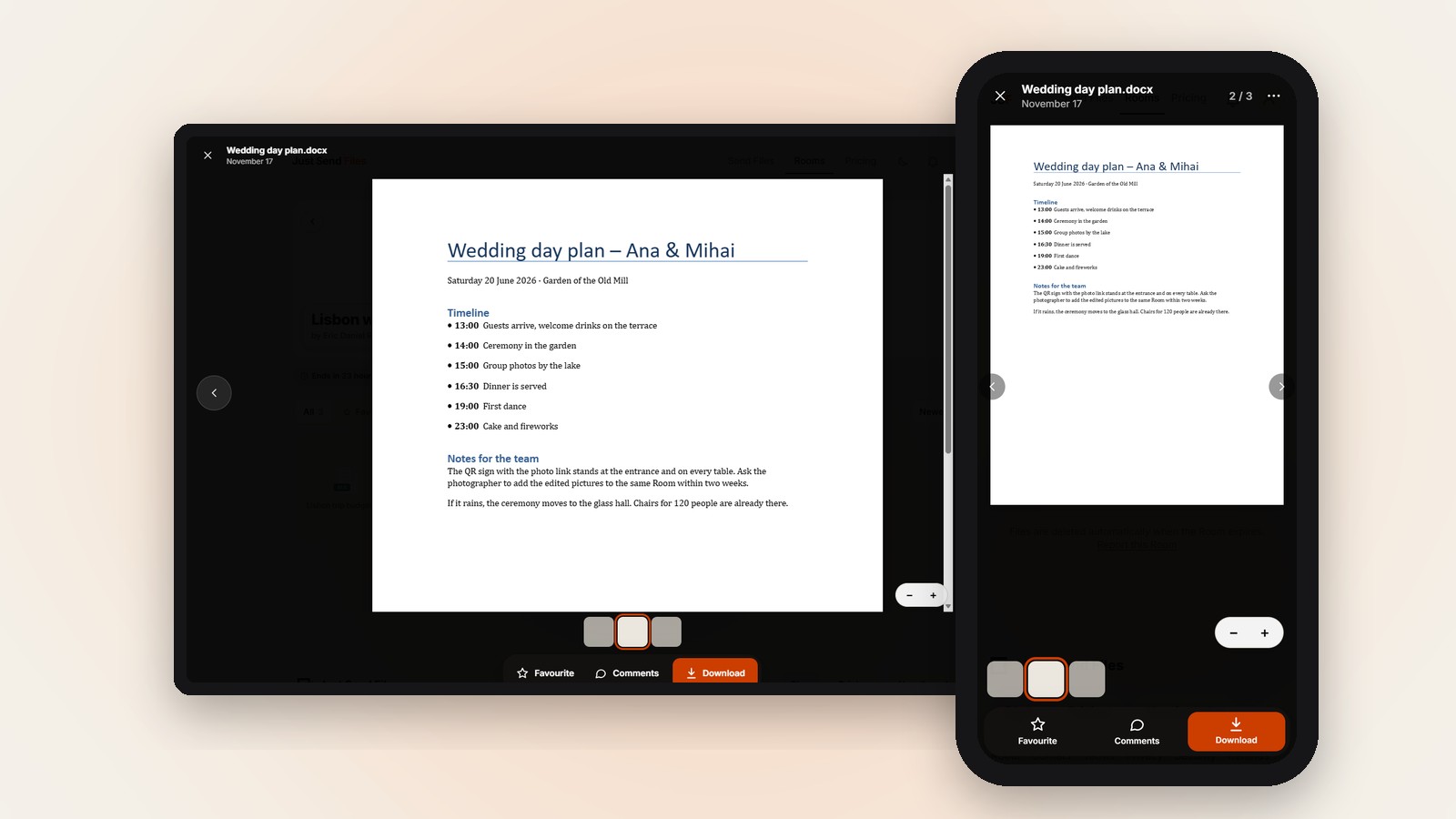

In short
- A .docx file in a Room opens on the page, without Word.
- An old .doc file does not open there, it has to be downloaded.
- Want everyone to read it from one link? Make a free Room.
You wrote something in Word and need others to read it: a list, a letter, the plan for a trip. Some of them have no Word, and some will only look at it on a phone.
Without the right program, a Word file can be hard to open. People download it, tap it, and their phone asks which app to use, or shows nothing useful.
Why a Word file is a problem
A Word file is made for the program that wrote it. On a phone without that program, the file often sits among the downloads and nothing opens it well.
Asking a whole group to install an app just to read one page is a lot. Most people will simply not read it.
Check the file ending
Look at the end of the file name. A file that ends in .docx opens in the page, without Word.
A file that ends in .doc is an old Word file. It does not open in the page, it is offered for Download instead.
Turn an old file into .docx or PDF
If your file is a .doc, open it in the program you wrote it in and save it again as .docx. Then it opens in the page like any other.
A PDF is another good choice. Microsoft says that in Word you select File > Save a Copy, then Browse, pick PDF in the list and select Save.
A PDF opens in the page as well, page by page, up to the first 300 pages.
Add it to a Room and send the link
Create a Room and add the document. Only you sign in, and the file arrives exactly as you sent it.
Paste the link in a chat or an email. Guests need no account and install nothing, on iPhone, Android or a computer.
What people see
When someone taps the .docx, it opens right on the page. Their own phone or computer shows it, the file is not converted or sent anywhere else.
A document opens if it is up to 100 MB. A bigger one, or a damaged file that cannot be read, is offered for Download.
When someone needs the file
Reading on the page is for looking. If someone needs to work on the document, the Download button gives the original file, exactly as it was uploaded.
That copy is the same .docx you added, so they can open it later in the program they use.
A .docx in a Room opens on the page, with no Word and no app. Free up to 10 GB.
Let anyone read your .docx →Questions
Can I open a Word document on my phone without the Word app?
If it is a .docx in a Room, yes. You tap it and it opens on the page, without installing anything.
Why won’t my .doc file open in the page?
Only .docx opens in the page. An old .doc is offered for Download, so save it as .docx or PDF before you share it.
Is the document changed when people view it?
No. It is not converted or sent anywhere else, and Download gives the original file, exactly as it was uploaded.