
In short
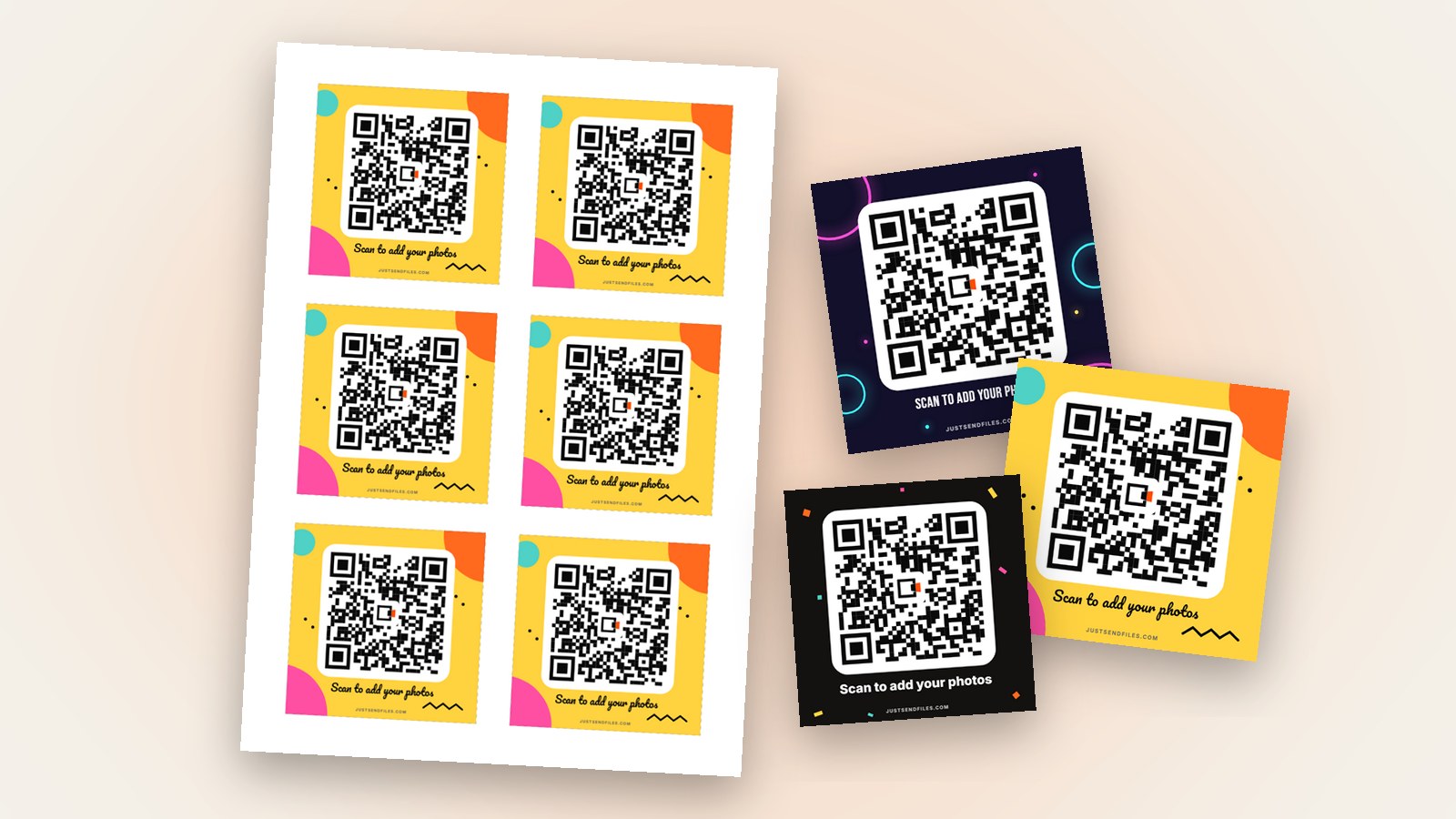
- The Sticker size is 8 × 8 cm, six of them on one A4 sheet.
- Each sticker opens the same Room, guests add photos with no app.
- Start with a free Room, add the QR when you need it.
Signs and table cards stay in one place. At a party or a company event people move around, and the code works best where they already look.
A sticker is a small, square version of your Room’s QR code. It is 8 × 8 cm and prints six to an A4 sheet, so one sheet covers menus, favours and the bar.
Why stickers
A sticker goes almost anywhere: a menu, a favour box, the bar, the mirror in the photo corner. Guests see the code at the moment they are taking photos.
Each sticker opens the same Room in the browser. Guests install nothing and need no account, and they can also download what others added, one photo or all at once.
Where the editor is
Open the Room’s settings and go to the QR code tab, or use the ⋯ menu on the Room in /rooms. You get the code and three buttons: Edit, Download and Share.
The plain QR code comes with every Room. The designed stickers, made with Edit, come with Plus, Pro or a Room pass for one Room. Free Rooms last at most 3 days, so an event whose photos keep arriving for weeks needs a longer Room anyway.
Choose the Sticker size
In Size, pick Sticker. Each one is 8 × 8 cm, and the PDF lays out six of them on one A4 sheet.
The preview is to scale. Text that looks crowded on the screen will look just as crowded on the sticker, so trust the preview and cut words rather than squeeze them.
Design for a small square
A title and the line under the code are usually enough. The second line is optional, and each line holds up to 60 characters.
Party, Neon and Pop are the party templates, and Simple suits a company event. In Style you choose Squares, Rounded or Dots for the code, which stays black on white with the JSF logo in the middle.
Print and stick
Tap Save, then Download and choose PDF, the real page ready to print. PNG and JPG are there too, at 300 dpi, if a print shop asks for an image.
Print on A4 sticker paper, make sure nothing shrinks the page to fit, and measure one sticker with a ruler. Then cut them out and stick them on clean, flat surfaces.
Test before the event
Scan one sticker with an iPhone and an Android phone. Apple says you open the Camera app, hold the iPhone so the code appears and tap the link. Google says a Pixel camera recognises the code by itself.
Keep the Room’s link the same once the stickers are out. A new link from Regenerate link would leave every sticker pointing nowhere, and the site warns you before that happens.
Every sticker leads to the same page. Guests add photos and videos as they were sent, with no app and no account.
Stickers that open one Room →Questions
How big are the QR stickers?
Each sticker is 8 × 8 cm, six on one A4 sheet. The preview in the editor is to scale, so you see the real size before printing.
Can I print the same stickers again later?
Yes. The design is saved on the Room, so the next download comes out the same.
Will the stickers still work if I change the Room’s link?
No. Regenerate link makes every printed QR code stop working, and the site warns you before you do it.