
In short
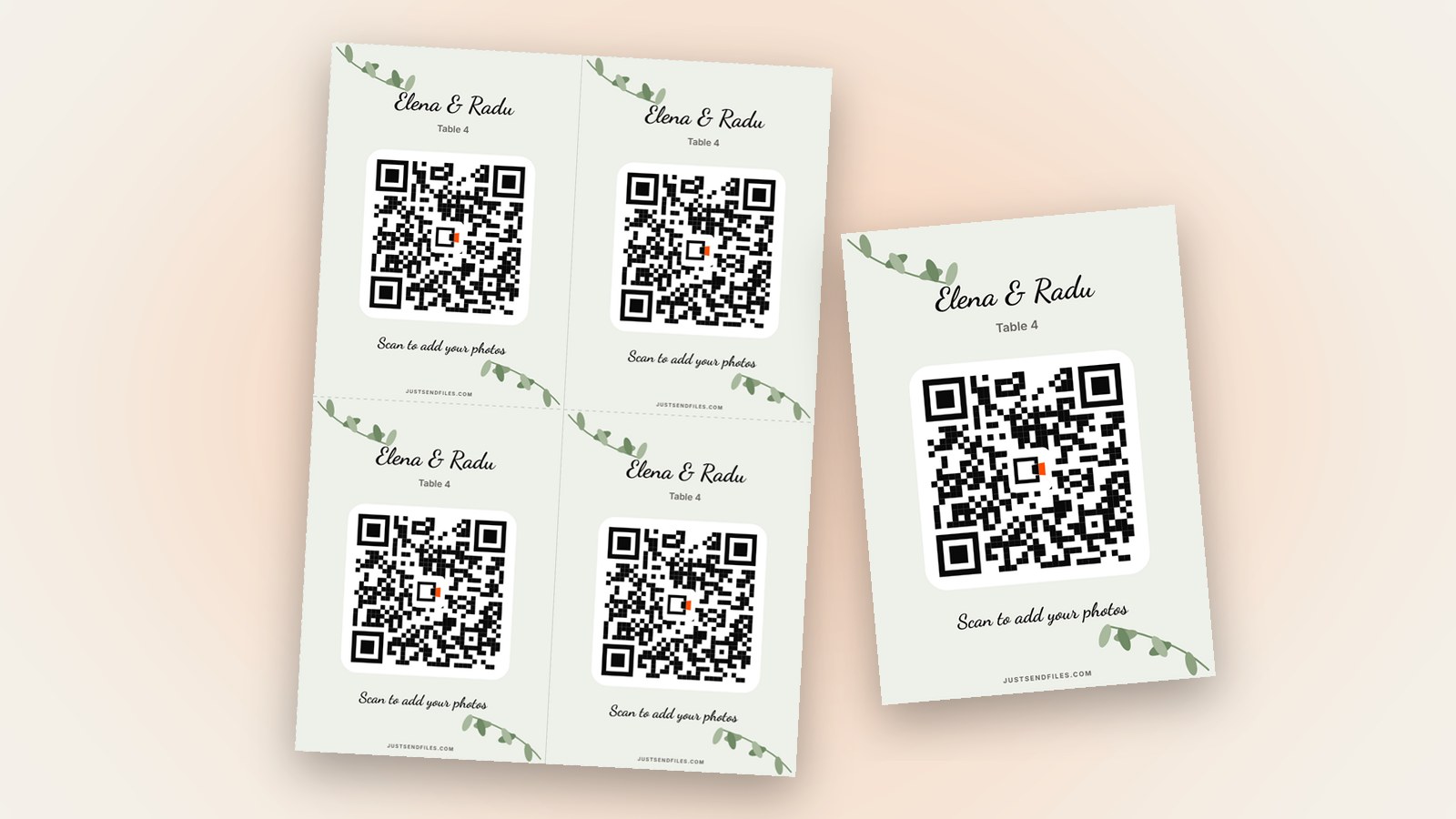
- A table card is A6, four of them on one A4 sheet with lines to cut.
- Guests scan from their seat and add photos and videos, no app.
- Start with a free Room, add the QR when you need it.
At a wedding or a party, guests spend most of the evening at their table. A sign at the entrance is easy to walk past, a card next to the plates is not.
A table card is a small version of your Room’s QR code. It is A6 and prints four to an A4 sheet, so a few sheets cover the whole venue.
Why cards on the tables
People take photos at the table, between courses and during the toasts. When the code is right there, they scan it without getting up.
Every card opens the same Room in the phone’s browser. Guests install nothing and need no account, and their photos and videos arrive as they were sent.
Open the editor
In the Room’s settings, open the QR code tab, or use the ⋯ menu on the Room in /rooms. You see the code with three buttons: Edit, Download and Share.
The plain QR code is in every Room. The designed cards, made with Edit, come with Plus, Pro or a Room pass for one Room. Free Rooms last at most 3 days, so an event whose photos keep coming for weeks needs a longer Room anyway.
Choose Table card
In Size, pick Table card. Each card is A6, and the PDF places four of them on one A4 sheet, with lines to cut along.
The preview is to scale, so you see how big the text and the code will really be. Check it on screen before you print a whole stack.
Keep the text short
Text gives you a title, an optional second line and the line under the code, each up to 60 characters. On a card this small, names and a date read better than a long sentence.
Pick a Template that fits the event: Wedding, Garden or Arch for a wedding, Party, Neon or Pop for a party. Then choose a Font and a background Colour. The code itself stays black on white, so phones can read it.
Print and cut
Tap Save, then Download and choose PDF, the real page ready to print. The design stays on the Room, so if you need more cards later, the next download comes out the same.
Print on thicker paper if your printer takes it, then cut along the lines. Set each card in a small stand or lean it against a glass, facing the chairs.
Before guests sit down
Scan one printed card with an iPhone and an Android phone. Apple says you open the Camera app, hold the iPhone so the code appears and tap the link. Google says a Pixel camera recognises the code and shows a link.
Once the cards are printed, leave the Room’s link as it is. Regenerate link makes every printed QR code stop working, and the site warns you about that.
Every card opens the same Room. Guests add photos and videos as they were sent, not compressed.
One code on every table →Questions
How many table cards fit on one A4 sheet?
Four. The Table card size is A6, and the PDF places four cards on one A4 sheet with lines to cut.
Do all the cards open the same Room?
Yes. A Room has one link and one QR code, so every card leads guests to the same page.
Can I download the cards as an image instead of a PDF?
Yes. Download lets you choose PDF, PNG or JPG, with PNG and JPG at 300 dpi. For printing at home, the PDF is the real page, ready to print.